






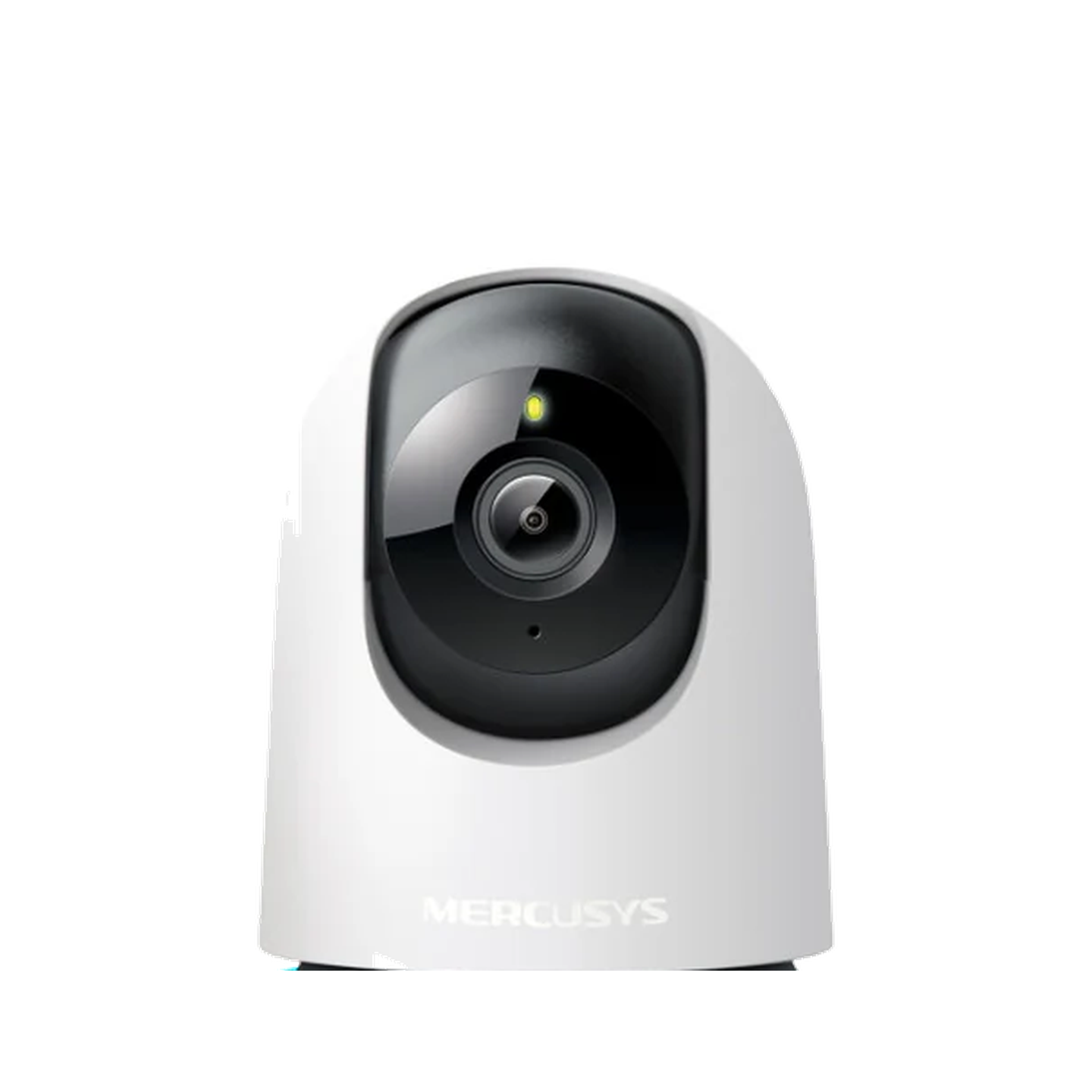
A home camera should be chosen by the space it needs to cover. A camera for a doorway, baby area, pet corner or shop shelf may need different viewing angles and storage options.
For a camera, the best-looking thumbnail or headline is not enough. The real decision is whether the camera can see the right area clearly, alert you in a useful way, store recordings in a way you are comfortable with, and sit in a sensible position without becoming annoying to maintain.
Quick answer
Before buying a TP-Link or Tapo-style camera, check video clarity, pan-and-tilt coverage, night vision, two-way audio, storage options, app alerts and where the camera will sit.
For the TP Link TPL-MC200 Wi-Fi Camera, shoppers should pay attention to the 1080p video claim, pan-and-tilt coverage, night vision, motion and sound alerts, two-way audio, microSD support up to 512 GB, cloud storage support and privacy/block-zone controls. Those are the details that change how useful the camera feels after setup.
What to check on a home camera
- Resolution and clarity for the room size.
- Pan-and-tilt coverage if the subject moves around.
- Night vision if the area is dim after hours.
- Two-way audio if you need to speak through the camera.
- Storage and app requirements before you rely on recordings.
A camera is not automatically better just because it has more features. Pan-and-tilt helps when the subject moves around the room, night vision helps only if the camera faces the right area, and alerts are useful only when they are specific enough that you do not ignore them.
Match the camera to the space
| Use case | Useful feature | Why it matters |
|---|---|---|
| Entryway | Wide view and alerts | Helps you notice movement near the door. |
| Pet or child area | Pan-and-tilt plus audio | Makes it easier to check different corners. |
| Small shop or shelf | Clear image and stable app | Helps with quick checks during the day. |
Placement changes everything. A camera placed too low may catch furniture instead of faces; a camera facing a bright window may struggle with contrast; and a camera hidden behind shelves may lose the wide coverage that pan-and-tilt is meant to provide.
Before checkout
Open the product page and confirm what is included, how storage works and whether the app setup fits your phone and home network.
Check whether you are comfortable with local microSD storage, cloud storage support, or both. Also check power placement and Wi-Fi strength because a camera that disconnects or needs an awkward cable path will not feel reliable.
TP-Link camera details that matter in daily use
| Feature to check | What it means | Why it matters |
|---|---|---|
| 1080p video | Clearer everyday monitoring than low-resolution cameras | Helps when checking a doorway, shelf, pet corner or room. |
| Pan and tilt | The camera can cover more of the room from one position | Useful for moving subjects and wider room checks. |
| Night vision up to 40 ft | Designed for dark or low-light monitoring | Important for after-hours room, entryway or pet checks. |
| Motion, person and baby-cry alerts | The app can notify you about different detected events | Reduces the need to keep watching the feed manually. |
| Two-way audio | Built-in microphone and speaker support talking through the camera | Useful for pets, family members or simple room checks. |
| microSD up to 512 GB | Local storage option for recordings | Important if you prefer local storage or want less reliance on cloud plans. |
Common questions about TP-Link cameras
Do I need pan-and-tilt?
Choose pan-and-tilt if you need to scan a wider area. A fixed camera may be enough for one doorway or shelf.
What matters most for night use?
Check night vision and placement. Even a good camera needs a sensible angle and power location.
Where should I place an indoor camera first?
Start with the area you actually need to check: doorway, living room corner, pet area, baby area or small shop shelf. Keep it near power, within stable Wi-Fi range, and high enough that the lens is not blocked by furniture.
Is storage as important as video quality?
Yes. Clear video helps only if the important clip is available when you need it. Check whether you plan to use microSD local storage, cloud storage support, or live-view checks only, then choose placement and settings around that plan.

Leave a comment
This site is protected by hCaptcha and the hCaptcha Privacy Policy and Terms of Service apply.